
How secure is Venmo? Venmo is secure for everyday payments between people who know each other. It uses encryption, multi-factor authentication (MFA), and real-time monitoring. But Venmo is not risk-free. Scams, phishing, and its public social feed are real threats. Knowing how secure Venmo is helps you use it without losing money.
I run a credit repair company. One of the most unforgettable cases I ever handled came from a client who lost $3,400 through a Venmo overpayment scam. She never got a refund.
The data confirms this is not rare. A Consumer Reports survey, cited in a U.S. Senate Banking Committee letter, found that 9% of frequent P2P app users fell victim to fraud. Another 12% sent money to the wrong person by mistake. The FTC logged 90,571 complaints about payment app fraud in 2024 alone. Losses hit $391 million that year.
How Does Venmo Work?
Venmo is a peer-to-peer (P2P) payment app. PayPal owns it. It lets users send and receive money using a bank account, debit card, or credit card.
Here is how a basic transaction works:
You create an account and link a funding source.
You search for a contact by username, phone, or email.
You enter an amount and tap send.
Venmo moves funds between accounts instantly.
Venmo has a social feed. By default, your transactions appear in that feed. Your friends or the public can see them. Only the dollar amount stays hidden. This is what makes Venmo different from Zelle or Cash App.
Most standard transfers are free. Venmo charges 3% for credit card payments and 1.75% for instant bank transfers.
What Security Features Does Venmo Use?
Venmo builds several layers of protection into its app and servers.
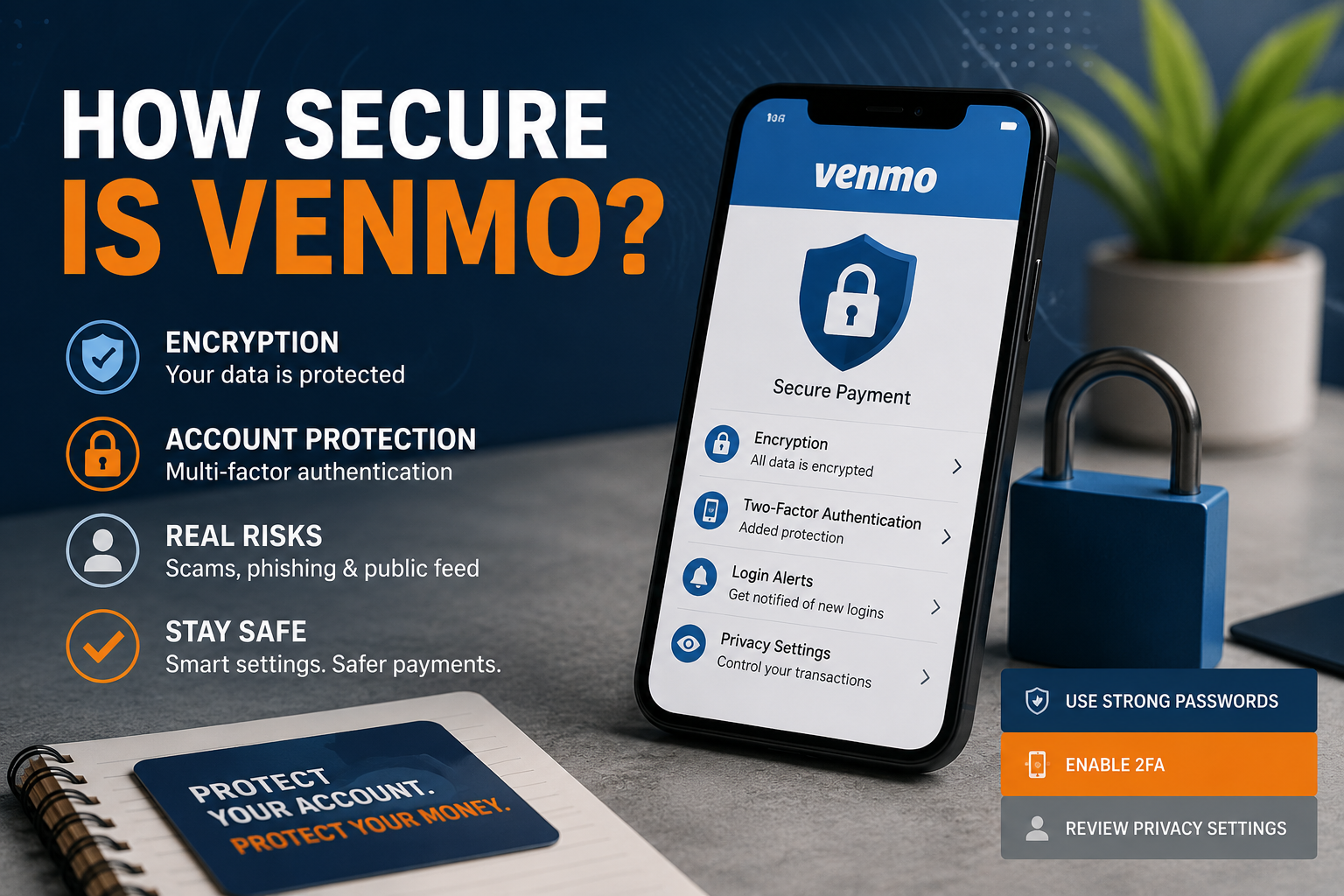
Encryption: Venmo's security page confirms all account data and transactions use encryption. Your details go to secure servers. They never travel as plain text.
Multi-Factor Authentication (MFA): Venmo requires MFA on all accounts. Every new device login gets a one-time code sent to you. You can also use an authenticator app for a stronger layer.
PIN and Biometrics: You can set a four-digit PIN or enable Face ID. This blocks anyone who picks up your phone from opening the app.
Transaction Monitoring: Venmo watches all account activity. If it spots something unusual, it can flag or freeze the account.
Identity Verification: Federal law requires Venmo to verify users at certain thresholds. Sending over $300 or transferring more than $1,000 per week triggers an ID check.
Session Management: You can see every device logged into your account. Go to Venmo.com > Settings > Security. Remove any session you do not recognize.
These tools make Venmo technically sound. But no tool fully prevents human error or social manipulation.
How Secure Is Venmo for Everyday Use?
How secure is Venmo for someone splitting a dinner bill or paying a friend back? Very secure, if you use it the right way.
Research from Security.org found that 83% of Venmo, PayPal, and similar app users saw a scam or scam attempt in 2024. That is a 15% jump from the year before. Most of those cases had nothing to do with breaking encryption. Scammers tricked users into sending money on their own.
Venmo's public social feed is the biggest security concern experts raise. Your transaction notes, contacts, and timing are all visible by default. Scammers use that data to target victims. Diana Rothfuss, Global Solutions Strategy Director at SAS, called it a goldmine for fraudsters. No other major payment app has this exposure by default.
Venmo also has a regulatory history worth knowing. A 2018 FTC settlement required PayPal to run external security audits. Venmo had not fully disclosed how it stored user data. That same year, Venmo lost $40 million to fraud in just the first quarter, per a Wall Street Journal report.
The platform has improved. But how secure is Venmo today still depends heavily on user habits. Weak passwords, no PIN, and a public feed all increase risk regardless of the app's technical protections.
To recap: Venmo's encryption and MFA hold up well. Its social feed and no-refund policy for peer-to-peer payments remain the two biggest weak points.
Can Venmo Be Hacked?
Venmo accounts can be compromised. Server breaches are rare. Account takeover is the real threat.
Account takeover happens when someone steals your credentials. They use phishing, dark web data leaks, or SIM swapping. Once inside, they change your email, password, and bank account. They drain whatever they find.
In 2024, around 11% of payment app users faced an authentication code scam. A fraudster pretended to be Venmo support and asked for a login code. Handing it over gave them full access, per Security.org data.
Phishing emails that copy Venmo's look are also frequent. Venmo only contacts users from venmo.com email addresses. The company never asks for verification codes outside the app itself.
If someone does get into your account, act fast. Remove all active sessions from Venmo.com > Settings > Security. Change your password right away.
What Are Common Venmo Scams?
Understanding common scams is one of the best ways to stay safe.
Overpayment scam: A stranger sends you money and says it was an accident. They ask you to send it back. The original payment used a stolen card. When the real owner disputes it, Venmo pulls the funds from your account. You lose both amounts.
Fake screenshot scam: A buyer shows you a fake payment confirmation. You release the goods before checking your balance. The payment never existed.
Phishing scam: You get an email or text that looks like Venmo. The link goes to a fake site. It steals your login.
Authentication code scam: Someone texts or calls claiming to be Venmo support. They ask for your verification code. Sharing it hands them your account.
Reverse transaction scam: A buyer pays you, then disputes the charge with their bank. Your balance gets reversed after you already delivered the item.
The U.S. Senate Banking Committee noted that Venmo is a closed system. Venmo sees both the sender and receiver in every transaction. It has the technical power to detect scammer accounts. Critics argue the company has not used that power aggressively enough.
Does Venmo Have Buyer Protection?
Venmo provides limited fraud protection. It does not cover most personal payment disputes.
Venmo may protect you in these cases:
An unauthorized person accessed your account and made payments.
An incorrect amount was taken after you sent a payment.
Your account balance was miscalculated after receiving a payment.
Venmo does not refund you for payments you sent willingly under false pretenses. That is the core gap. Most scams involve users who chose to send the money. Those payments fall outside Venmo's policy.
If you linked a credit card, you have a fallback. File a chargeback with your card issuer. Credit chargebacks are the strongest tool you have for disputed Venmo payments.
To recap: Venmo covers unauthorized access. It does not cover user-initiated payments made under deception. Always link a credit card when possible.
How Do I Protect My Venmo Account?
Good security on Venmo comes from your settings and your habits. Here is what to do right now.
Turn on MFA. Go to Settings > Security > Two-Factor Authentication. Use an authenticator app over SMS. SMS is vulnerable to SIM swap attacks.
Set a PIN or Face ID. This prevents anyone who grabs your phone from opening the app. Go to Settings > Face ID and PIN.
Make transactions private. Go to Settings > Privacy. Change your default to "Private." This removes you from the public social feed.
Check active sessions. Go to Settings > Security > Active Devices. Remove anything you do not recognize.
Use a unique password. Never reuse your Venmo password on other accounts. A password manager keeps this easy.
Link a credit card, not a debit card. Credit cards have chargeback rights. Debit transfers are much harder to recover.
Only pay people you know. Venmo is built for trusted contacts. Using it with strangers removes its built-in protections.
Turn on alerts. Enable push and email notifications. You will see every transaction the moment it happens.
At our credit repair firm, we see Venmo fraud show up in two ways. First, as direct money loss. Second, as identity theft that later hurts a client's credit score. Both are avoidable with these eight steps.
Worried About Fraud or Identity Theft?
Payment app scams and hacked accounts can damage more than your bank balance. Identity theft and fraudulent activity may also hurt your credit score. Get a professional credit analysis and see what may be affecting your financial profile today.
Get Your Free Credit AnalysisNo obligation • Secure • Trusted by clients nationwide
Is Venmo Safe Enough to Use in 2026?
So, how secure is Venmo in 2026? Secure enough for daily use between people you trust. Not designed for marketplace sales, paying strangers, or large transfers without extra precautions.
Venmo's encryption, MFA, and session controls are solid. The public transaction feed, limited refund policy, and rising scam rates are the risks you manage by adjusting your settings and habits.
Turn on MFA. Set a PIN. Make transactions private. Link a credit card. Those four actions do more to protect your account than any built-in feature Venmo offers.